
Monitor your app with the Brick dev dashboard
See every request, SQL query, log line, and failure in your BrickKit app while you build it, with one flag and no extra services.
By BrickKit team
When a request fails in development, you usually check the terminal, then the browser network tab, then the database log. brick dev removes that loop. It serves a dashboard on its own port that shows each request, the action that handled it, the SQL it ran, and the log lines it wrote.
This guide turns the dashboard on, then walks through the tabs using the Pages example app from the BrickKit repository. You need @brickkit/cli and @brickkit/core 0.8.2 or later and Bun 1.2 or later.
Turn on telemetry
The dashboard starts with brick dev and shows requests only from apps that opt in. Set telemetry: true on the app:
import { brick } from "@brickkit/core";

export default brick({
	services: [pagesService],
	telemetry: true,
});
Run the entry:
brick dev src/app.tsOpen http://127.0.0.1:9400. If the dashboard is on but the entry does not set telemetry, brick dev prints a warning.
Four options change the defaults:
brick dev src/app.ts --dashboard-port 9500   # another port
brick dev src/app.ts --history-days 30       # keep a month of requests
brick dev src/app.ts --history-days 0        # live requests only, nothing on disk
brick dev src/app.ts --no-dashboard          # API only
An app that uses the Vite plugin, such as Pages, serves the same dashboard. Pass dashboard: { historyDays } or dashboard: false to brickClient in vite.config.ts.
Find a failing request
The Requests tab lists every request the app has served. Four cards at the top show the count, the error rate, the median duration, and the slowest 5%. A timeline below them shows volume. Click and drag across it to zoom the list to that time.
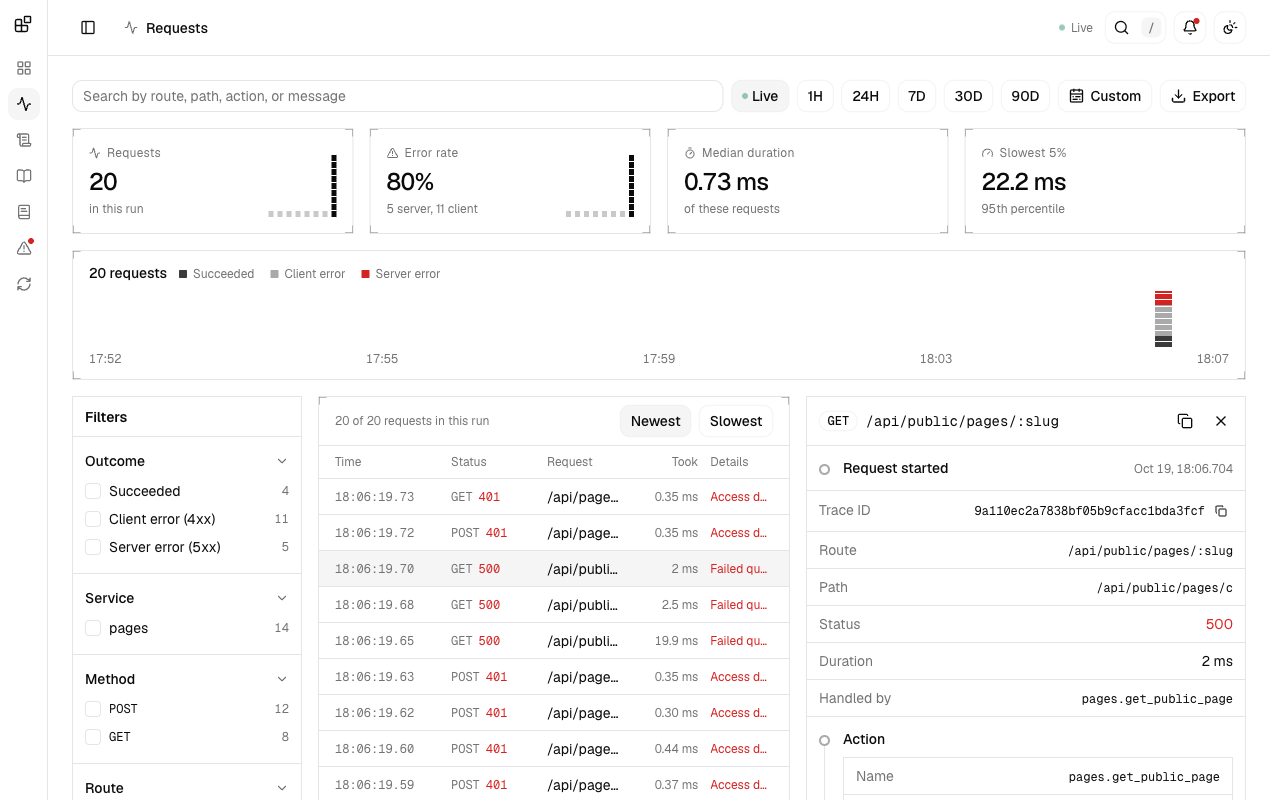
The screenshot comes from a Pages run where we sent 20 requests without signing in. Eleven return 401, and the list shows Access denied beside each one. Three GET /api/public/pages/:slug requests return 500. Open a row and the detail panel shows the trace ID, the route, the action that handled the request (pages.get_public_page), the SQL queries, the error, and the stack trace.
The filters on the left show a count beside each value: outcome, service, method, route, and speed. You can select several values in one filter. The search box matches routes, paths, actions, and failure messages. Export saves the filtered requests as CSV.
By default, brick dev keeps finished requests for 90 days in .brick/telemetry.sqlite. Choose a range from 1H to 90D, or Custom, to look back across restarts. Stored requests include SQL text and stack traces, so treat .brick/ like your logs. The directory ignores itself, so it never reaches a commit.
See how the app fits together
The Overview tab draws the running app as a graph: clients on the left, services in the middle, databases on the right.
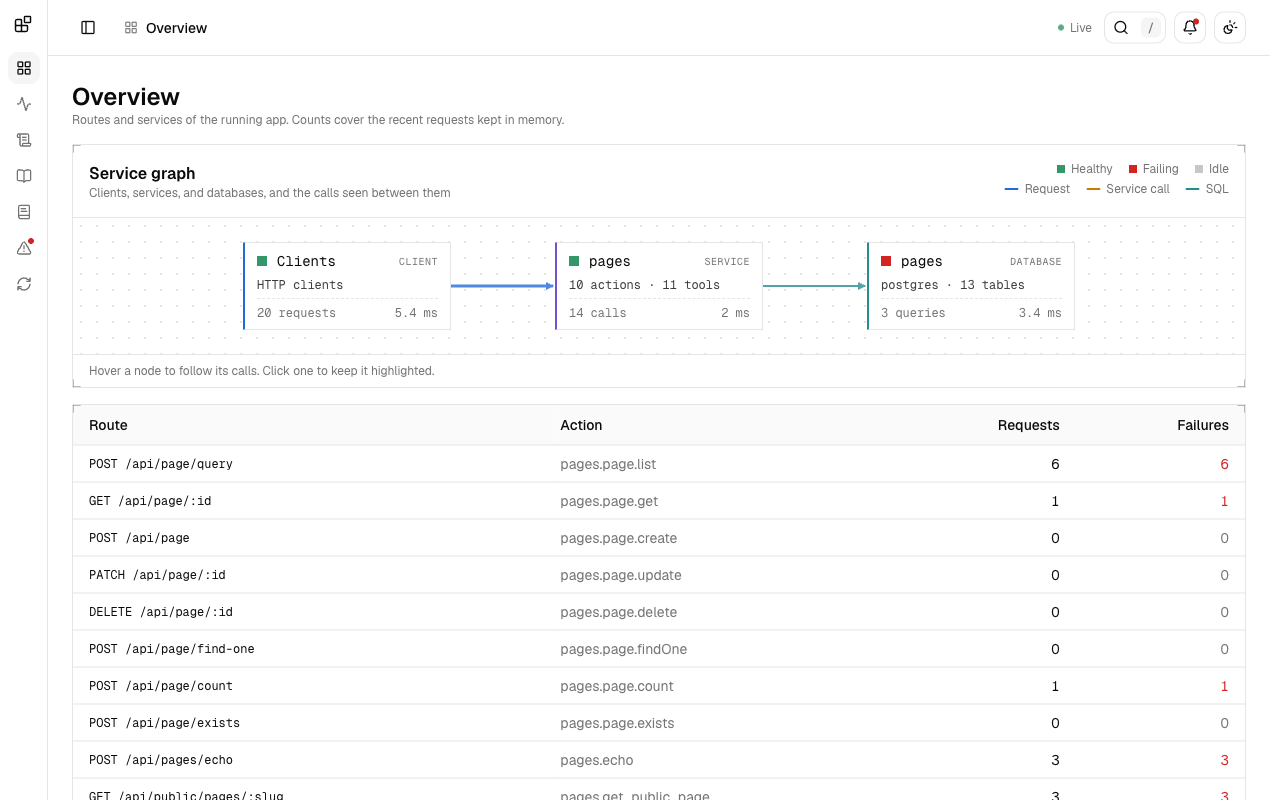
Each service lists its actions and tools. Each database lists its engine and tables. Calls, durations, and health fill in from recent requests. In the screenshot, the pages database is red because its three queries failed, while the service itself stays green.
Below the graph, a table lists each HTTP route with its action and its request and failure counts. A route with no requests shows 0, so you can see which endpoints your traffic never reaches.
Search logs from the request that wrote them
Call ctx.logger.info(), .warn(), .error(), or .debug() in an action, tool, or endpoint, and the line goes to the dashboard instead of the terminal. Plain console.log calls made while a request runs are captured too, so libraries that log with console need no change.
execute: async ({ input, ctx }) => {
	ctx.logger.info("creating a user", { email: input.email });
	// ...
},
The Logs tab lists the lines newest first.
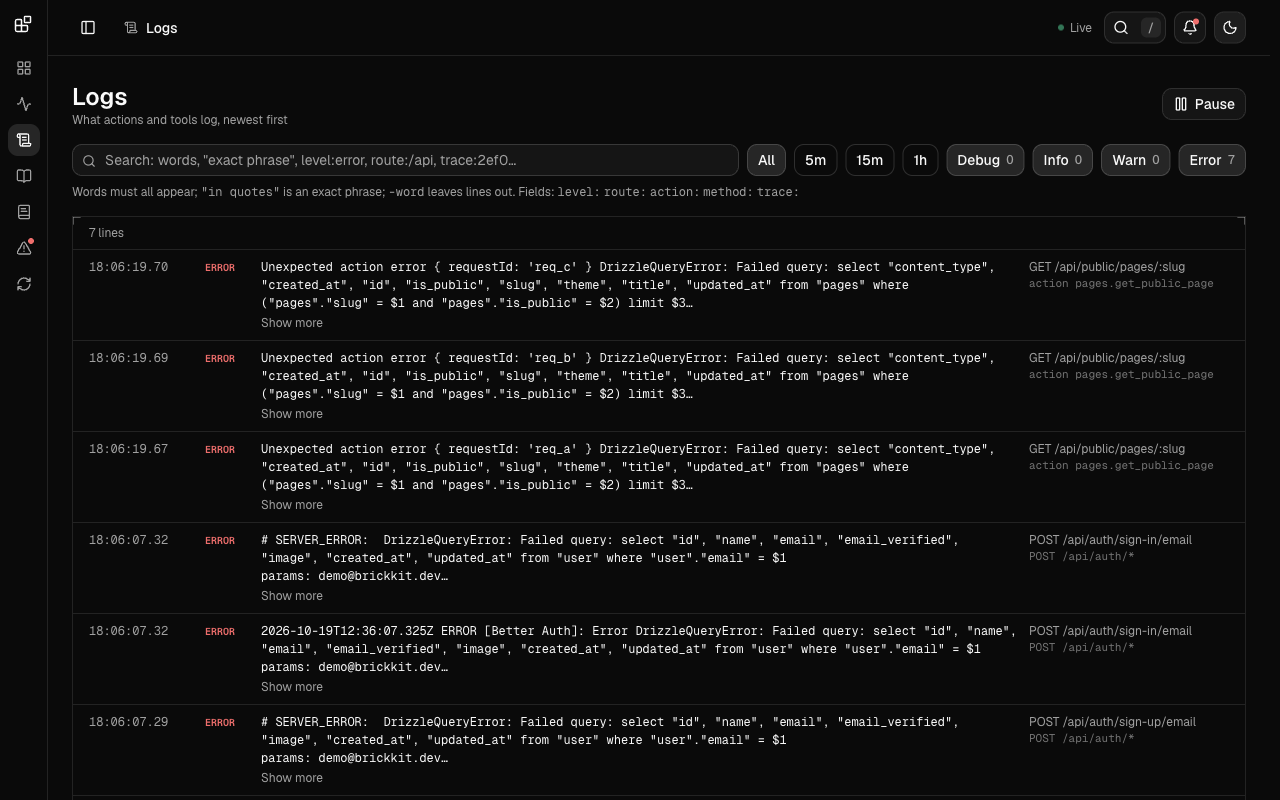
Every line carries the route and action of its request. The search box takes words that must all appear, "an exact phrase", and -word to leave lines out. Fields narrow a search to one part of a line:
level:error route:/api/public action:pages.get_public_page -trace:2ef0d1A line appears in two places: here, and in the detail panel of its request, in order and timed from the start of the request. Pause holds the list still while you read it.
Logs only reach the dashboard during a request. A line written at startup still goes to the terminal.
Try an endpoint and see its trace
The APIs tab renders your OpenAPI documents inside the dashboard.
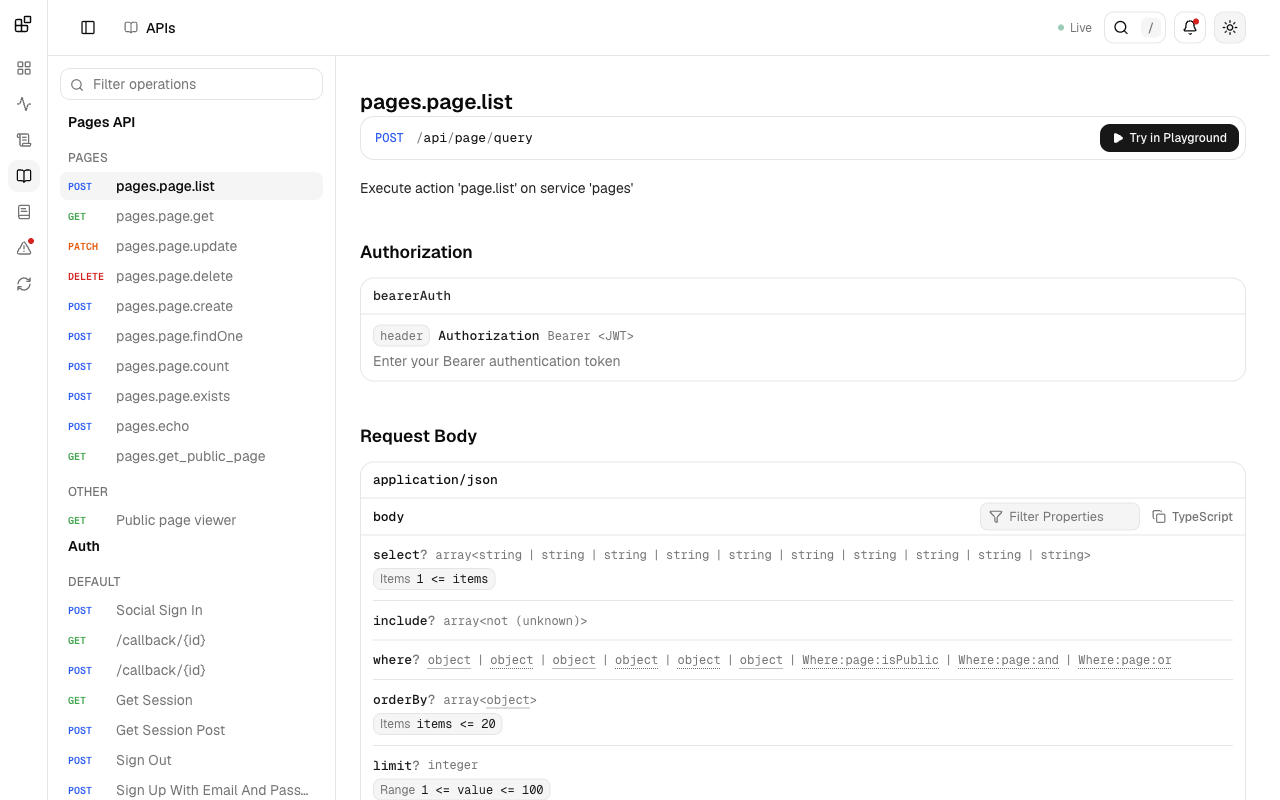
Pick an operation, then click Try in Playground. The dashboard sends the call to your app, so it shows up in the Requests tab. Under the response, the dashboard shows the app's trace of that call: the error, the stack trace if the app threw one, and the spans.
To add more documents, such as the ones Better Auth generates, list them under reference.documents:
const app = brick({
	services: [pagesService],
	telemetry: true,
	reference: {
		documents: [
			{ title: "Auth", document: () => auth.api.generateOpenAPISchema() },
		],
	},
});
The Docs tab does the same for your own notes. Set documentation to a folder of .md and .mdx files, and the dashboard shows them beside the requests. Install fumadocs-core and @mdx-js/mdx first.
Know what the dashboard exposes
In development, the dashboard binds to 127.0.0.1 and rejects requests whose Host header is not local. It does not record request bodies or headers. Error messages, stack traces, and SQL text are visible to anyone who can open it, which is why the screenshots above show only the parts that hold no local file paths.
To watch a deployed app, set the dashboard option and run brick start. That serves a read-only dashboard with the same Requests, Logs, Errors, and Overview tabs on a port of its own. It refuses to listen beyond loopback without auth:
export default brick({
	services: [pagesService],
	dashboard: {
		host: "0.0.0.0",
		auth: { token: process.env.DASHBOARD_TOKEN },
	},
});
The token must be at least 16 characters. A browser asks for it in its sign-in prompt, and a monitor sends Authorization: Bearer <token>. See Development and production server for authorize, retention, and what the production dashboard leaves out.
Run it yourself
The screenshots come from examples/pages at the repository root:
bun install
bun run pages:dev
The command builds the local packages, starts the app on :5174, and serves the dashboard on :9400. Pages needs a Postgres database. The default is postgresql://localhost:5432/drafton, and DATABASE_URL overrides it.